

How Photo Vault Apps Work: A Plain-English Look Inside
From the outside, every vault app looks the same: a lock screen and some albums. Inside, they range from a simple private folder to layers of keys and encryption. Here is what goes on, step by step.
You don’t need to understand encryption to use a vault app, any more than you need to understand pin tumblers to use a front door. But a little understanding helps you choose a good one and use it well.
This guide follows a single photo on its way into a vault, and explains each layer it passes through. Where it helps, we use Vaultmira as the worked example, because we can tell you exactly what it does.
A vault that shows its workings: Vaultmira
Vaultmira uses the full stack described here: your drawing is stretched with PBKDF2-HMAC-SHA256 (600,000 rounds) into a key, that key unwraps a random master key, and the master key seals every file, preview and the file list with AES-256-GCM. A backup phrase opens a second sealed copy of the master key. No account, no server holding keys.
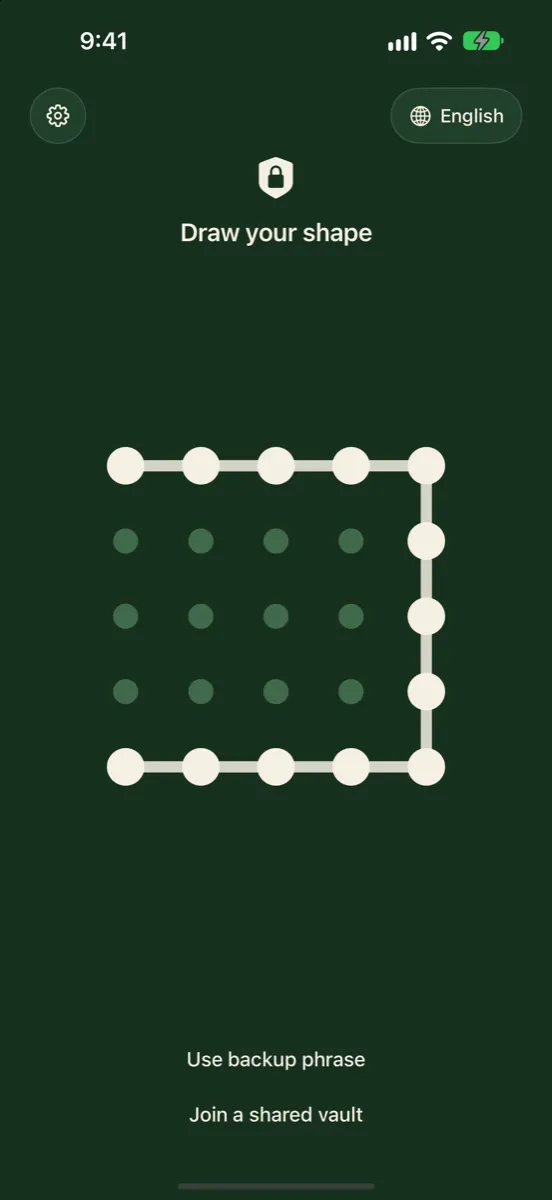
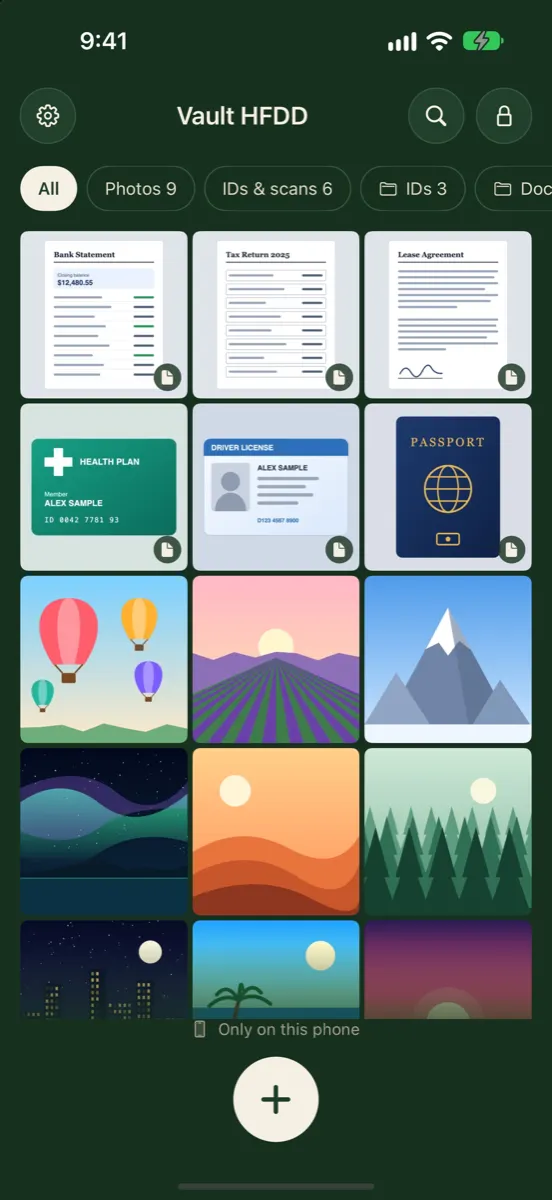
How it looks in Vaultmira
Layer 1: The App’s Private Storage
Every third-party iPhone app runs in a sandbox. Apple’s platform security guide explains that each app gets its own home folder for its files, and that sandboxing is designed to stop apps from reading or changing what other apps store. Photos in a vault app’s folder don’t show up in the Photos app or in other apps.
On top of that, iOS Data Protection encrypts files on the device using keys tied to your passcode. That is a strong baseline when the phone is locked. When the phone is unlocked, though, the device’s own encryption is open for business, so a vault needs its own layers.
Layer 2: The Lock Screen
Every vault has a front door: a PIN pad, a password field, a pattern, a fake calculator, or a drawing grid. Its job is to check that you are you before showing anything.
In the simplest vaults, this is the only layer. The photos sit in the private folder as normal image files, and the lock screen decides whether to show them. That stops someone tapping around, but the files themselves are readable to anyone who can copy them out of the app’s storage.
Layer 3: Turning Your Secret Into a Key
Stronger vaults use your PIN, password or drawing to make an encryption key. They don’t use it directly, because human secrets are short. Instead they run it through a key-stretching function that is deliberately slow, so every guess takes real effort.
The salt is a random value mixed in so that the same drawing gives different keys for different people, which spoils precomputed guessing tables. The 600,000 rounds match the figure the OWASP Password Storage Cheat Sheet recommends for PBKDF2 with SHA-256.
Layer 4: The Master Key
Many well-designed vaults don’t encrypt files with your key directly. They create a long random master key and use your key only to lock (“wrap”) that master key. This has two big benefits:
- Changing your drawing is quick. Only the small wrapped copy of the master key changes; your files don’t need to be encrypted again.
- A second way in is possible. The same master key can be wrapped a second time with a recovery key. In Vaultmira, that is the backup phrase, also stretched with PBKDF2 at 600,000 rounds.
Layer 5: Encrypting Every File
With the master key, the vault encrypts each photo and video. Vaultmira uses AES-256-GCM. AES-256 is the encryption standard published by NIST; GCM is a mode that also adds a seal, so any change to the file is detected and it refuses to open rather than showing tampered content.
The details that separate careful vaults from careless ones are the things around the photo:
- Previews. The small thumbnails in the grid are photos too. Vaultmira seals them like the originals.
- The file list. Names, folders and dates can say a lot. Vaultmira seals the vault’s file list as well.
- Large videos. Vaultmira seals videos in numbered 4 MB pieces with a last-piece mark, so a missing or reordered piece fails to open.
Layer 6: Getting Photos In
There are two ways in: importing from your library, or capturing inside the app.
- Importing makes an encrypted copy. The original stays in Photos until you delete it, and then waits in Recently Deleted for 30 days. Vaultmira offers Remove from Photos right after import and reminds you to empty Recently Deleted.
- Capturing inside the vault skips the library. Vaultmira’s Secure Camera and document scanner save straight into the open vault.
Layer 7: Backup and Sync
A vault on one phone is lost with that phone. Vaults handle this in different ways: their own cloud service, a cloud account you connect, or Apple’s iCloud. The key question is whether files are encrypted before they leave the phone, and who holds the key.
Vaultmira uploads already-sealed files to the app’s area of your own private iCloud (CloudKit). The master key travels only in its two wrapped forms, one opened by your drawing and one by your phrase. To iCloud, a vault is a set of scrambled records with random names. See Encrypted iCloud Backup.
Layer 8: Recovery
| Recovery style | How it works | Trade-off |
|---|---|---|
| Email reset | A code sent to your email lets you set a new PIN | Convenient; your email account becomes part of your security |
| Recovery key or phrase | A second secret you store opens a sealed copy of the key | Private; you must keep it safe |
| No recovery | Forget the key and the files are gone | Simple and private; unforgiving |
Vaultmira uses the middle row. There is no account, so there is nothing to email.
What Someone Sees if They Copy the Files
Suppose someone uses special tools to copy Vaultmira’s storage off an unlocked phone. They would find folders of sealed data with random names: no thumbnails, no file names, no dates they can read. They could count how many vault folders exist, which we say openly, but they couldn’t open any of them without the matching drawing or phrase. With a vault that only hides files, the same copy would contain ordinary photos.
Extra Layers: Disguise, Decoys and Panic
- Disguise icons change how the app looks on your Home Screen. They help with glances, not with protection. Vaultmira Pro offers seven, such as Calculator and Weather.
- Multiple vaults let different secrets open different spaces. In Vaultmira every drawing opens its own vault, and an unused drawing opens an empty one without an error, so there is no list to find. See Hidden Vaults.
- Panic features act when you are under pressure. Vaultmira’s panic drawing (Pro) opens a vault you’re comfortable showing and erases the others from the device, while their sealed iCloud copies are kept.
Encryption protects files from people who don’t have the key. It can’t protect a key someone has watched you enter. Draw or type your secret privately, and don’t reuse it elsewhere.
Ready to judge a specific app? Are photo vault apps safe? turns these layers into eight quick checks, and Security Architecture has Vaultmira’s full design.
Frequently Asked Questions
Do all photo vault apps encrypt photos?
No. Some only move photos into private storage and put a lock screen in front. Look for a clear statement about encryption, ideally naming the method, before trusting an app with sensitive photos.
Where are vault photos stored on iPhone?
In the vault app’s own sandboxed folder on the device, which other apps can’t read. If the app has a backup, sealed or readable copies may also be stored in a cloud service.
What is key stretching?
A deliberately slow calculation that turns a short secret, like a PIN or drawing, into an encryption key. It makes each guess cost time, so trying millions of guesses becomes impractical.
Why does Vaultmira use a master key instead of my drawing directly?
So you can change your drawing without re-encrypting every file, and so the backup phrase can open the same vault. Both the drawing and the phrase unwrap their own sealed copy of one random master key.
Can a vault app protect me if someone knows my iPhone passcode?
Yes, if the vault has its own key that isn’t your passcode or Face ID. Vaultmira vaults open only with their drawing or backup phrase.
Related reading:
Keep it private, for real
Hidden is not the same as locked. Vaultmira seals your photos and files on your iPhone behind a shape only you know.
Download Vaultmira Free