

Vaultmira Press Kit
Everything you need to write about Vaultmira: ready-to-use descriptions, the facts, real app screens and the icon. Use them freely in articles, lists and reviews.
Download
- Full press kit (ZIP, about 6 MB): the app icon at 1024 × 1024 and the eight App Store pictures for iPhone.
- App icon only (PNG, 1024 × 1024)
- App Store page: Secret Photo Vault - Vaultmira

In one sentence
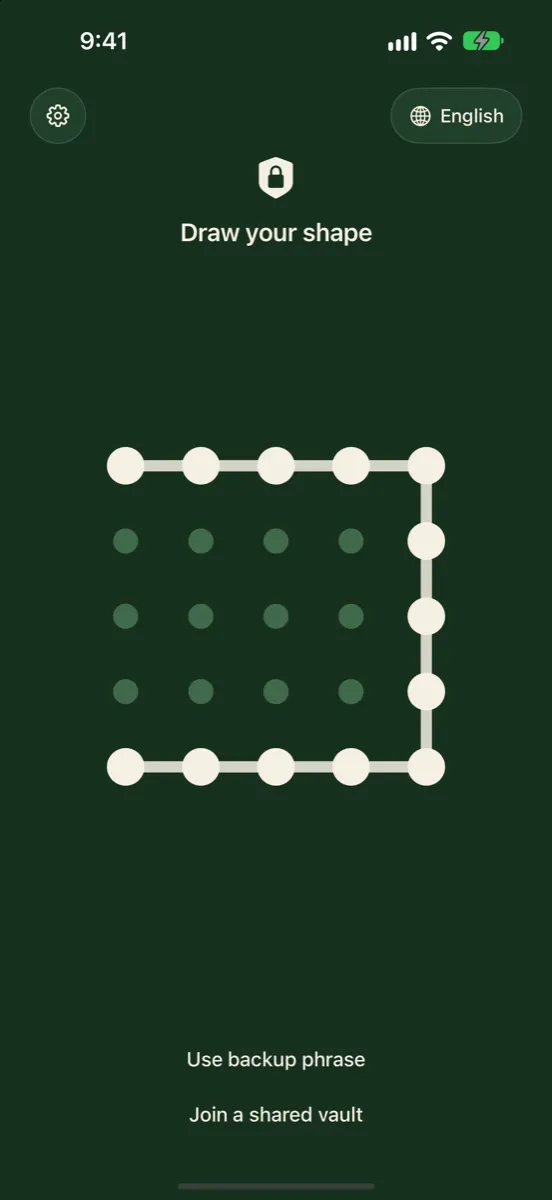
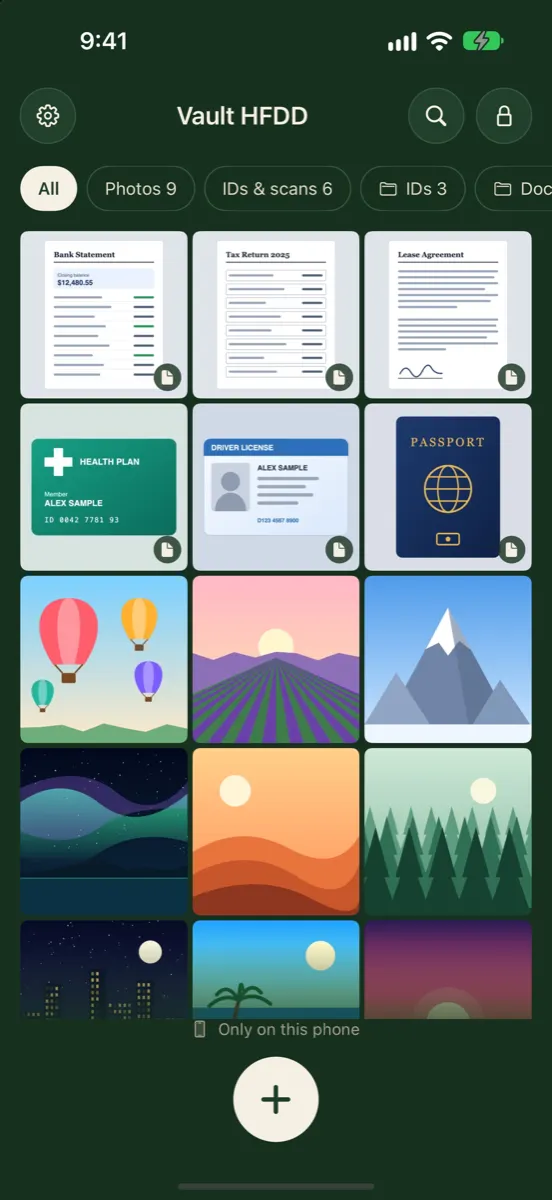
Vaultmira is a secret photo vault for iPhone and iPad that locks photos, videos and documents behind a shape you draw, with AES-256 encryption on the device and no account.
Short description (about 100 words)
Vaultmira keeps private photos, videos, IDs and papers in an encrypted vault on your iPhone or iPad. Instead of a PIN or password, you draw a shape on a grid of dots, and that shape becomes the key. Every drawing opens its own vault, so a second drawing can show an ordinary vault while the real one stays hidden. There is no sign-up, no email and no tracking: the App Store privacy label reads Data Not Collected. Files are sealed with AES-256-GCM before they are saved, and the optional iCloud backup only stores files that are already sealed.
Key facts
| Fact | Details |
|---|---|
| Name | Vaultmira (App Store: “Secret Photo Vault - Vaultmira”) |
| Made by | Aadstra LLC, Austin, Texas, United States |
| Platforms | iPhone and iPad |
| First release | Version 1.0, 13 November 2026 |
| Price | Free to download. Vaultmira Pro by subscription or a one-time purchase, sold only through the App Store |
| Languages | 27, including English, Spanish, Arabic, Hindi, Telugu, Tamil, Gujarati and Japanese |
| Account needed | None. No email, no sign-up |
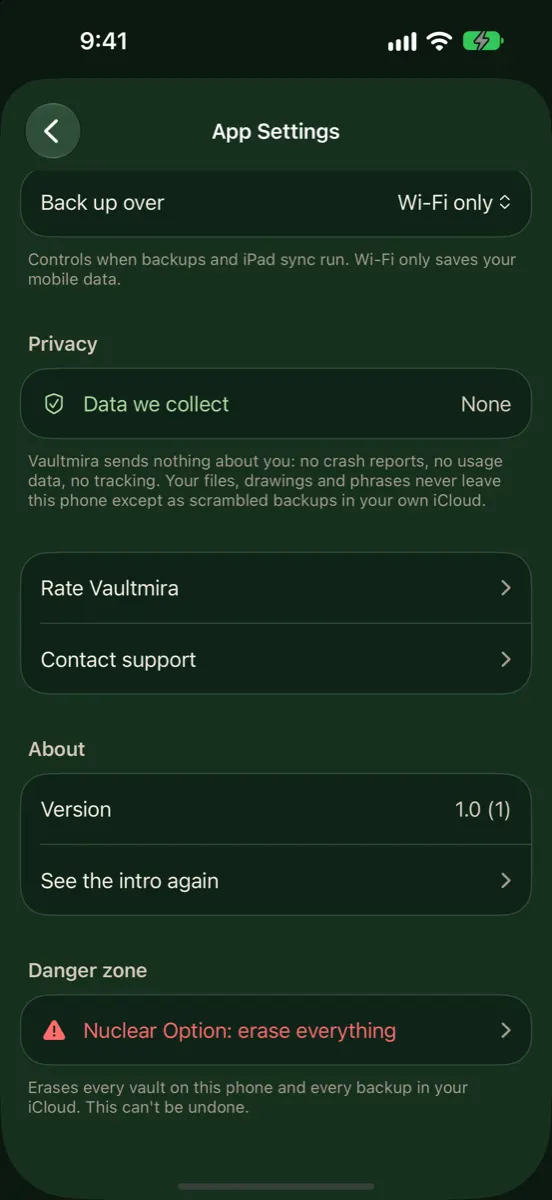
| Data collected | None (App Store label: Data Not Collected). No ads, no analytics, no crash reports |
| Encryption | AES-256-GCM on the device; key made from the drawing with PBKDF2-HMAC-SHA256, 600,000 rounds |
What makes it different
- A drawing is the key. No PIN to watch over a shoulder, and no Face ID shortcut that someone can use while you sleep. How it works.
- Every drawing opens its own vault. A wrong drawing does not show an error; it opens a different, empty vault, so nobody can tell which vault is real. Plausible deniability.
- A panic drawing. One chosen drawing opens a harmless vault you set up in advance. Panic drawing.
- Nothing about you leaves the phone. No account and no company server for your files. Security architecture.
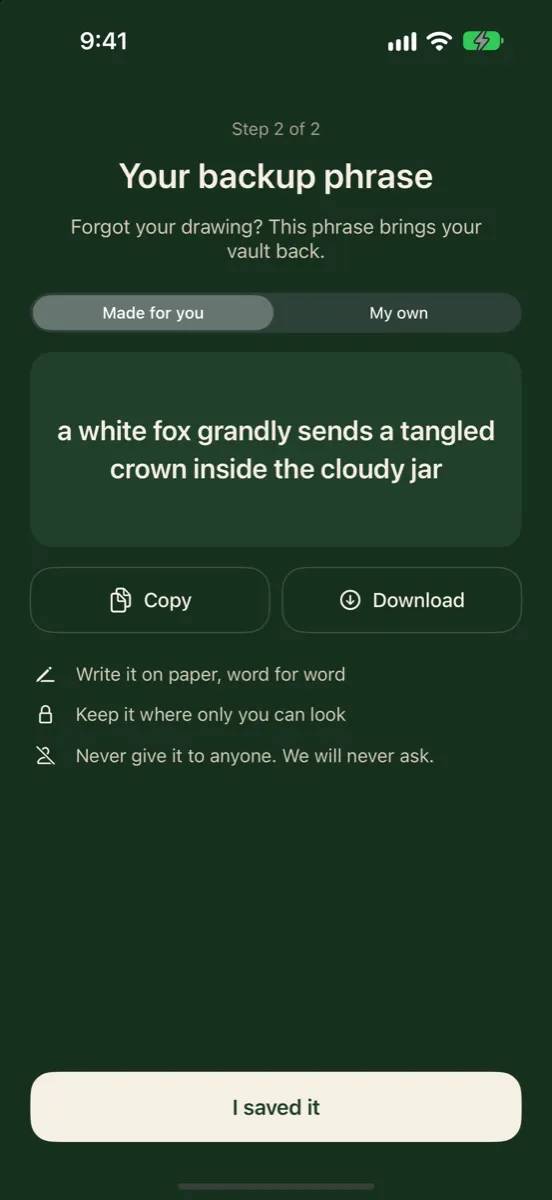
- A backup phrase. Words you write on paper bring the vault back on a new phone. If you lose both the drawing and the phrase, nobody can open the vault, including us. Backup phrase.
How it looks in Vaultmira
Using our name and pictures
You may use the icon, the screens and the text on this page in articles, lists, videos and reviews about Vaultmira. Please don’t change the icon or make it look like an Apple product. A link to vaultmira.com or to the App Store page is welcome.
Contact
Writing a review or a list of photo vault apps? Questions, review access or a fact check: write to [email protected].