

Hidden Album vs a Photo Vault App: An Honest Comparison
One is free, built in and already on your phone. The other asks you to install something and remember a new key. Both have a place. Here is how to tell which one your photos need.
If you search for ways to protect photos on iPhone, you get two kinds of answer. Some say Apple’s Hidden album is all you need. Others say you must install a vault app. Both are partly right.
The honest answer depends on who you are protecting your photos from. This guide puts the two side by side, fairly, and ends with a simple way to decide.
Best vault when the Hidden album isn’t enough: Vaultmira
Vaultmira keeps what the Hidden album does well, simple and private, and adds a separate key: a shape you draw. Every file is sealed with AES-256-GCM, there is no account, and you get a backup phrase in case you forget the drawing. Unlimited vaults on the free plan.
How it looks in Vaultmira
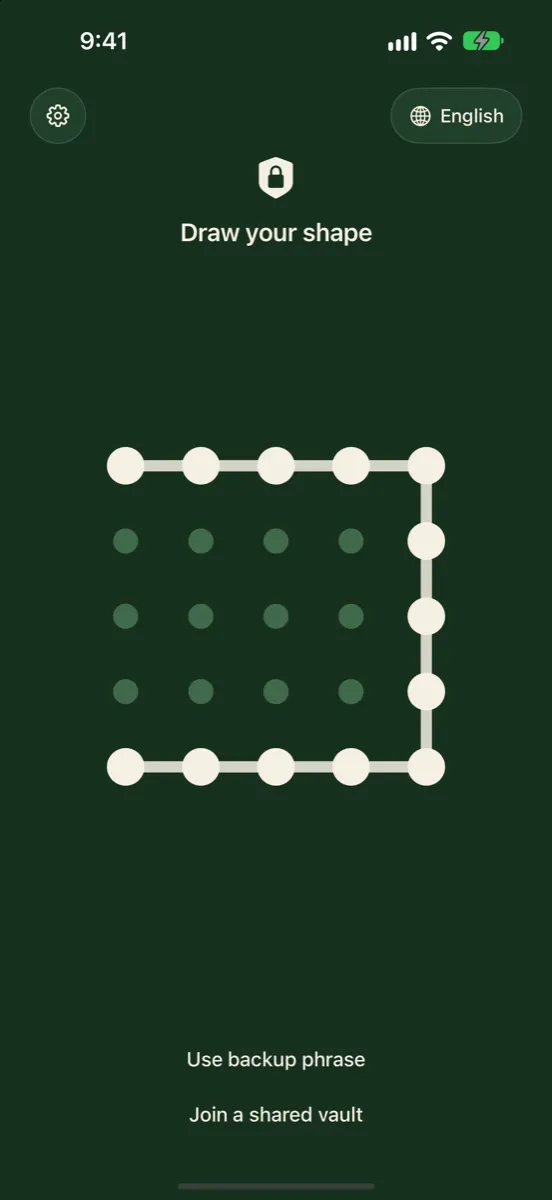
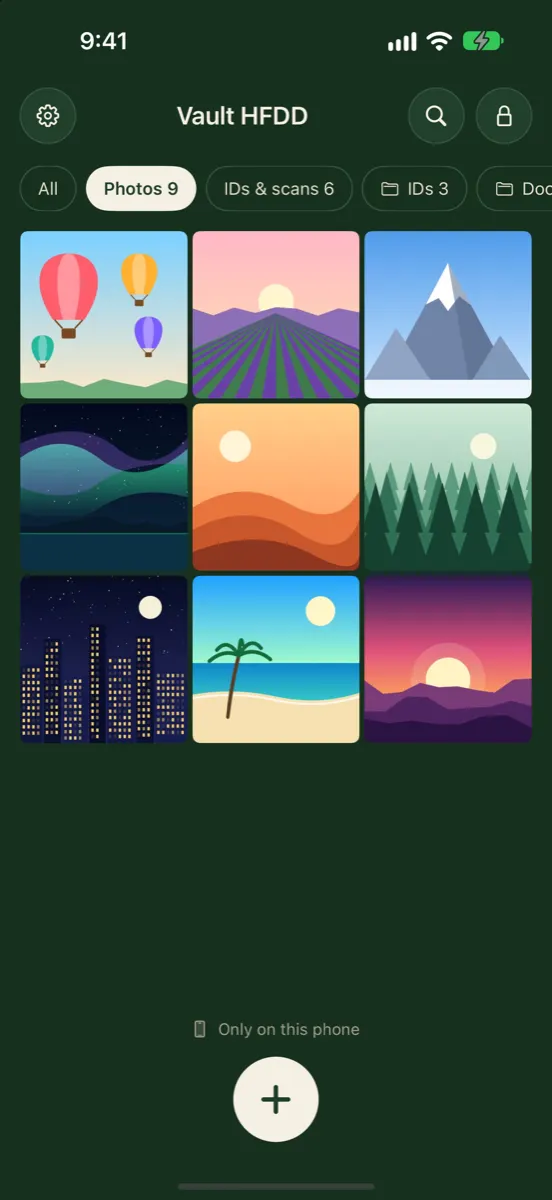
The Short Difference
The Hidden album changes where a photo shows. It stays in your photo library, travels with iCloud Photos, and opens with the same Face ID, Touch ID or passcode as your iPhone.
A photo vault app changes where a photo lives. It leaves your photo library for the app’s own storage, and the better apps encrypt it with a key that has nothing to do with your passcode.
Side by Side
| Apple Hidden album | Vaultmira (a vault app) | |
|---|---|---|
| Cost | Free, built in | Free plan; Pro from $1.99/week (US, as of Nov 2026) |
| Setup | None | Install, draw a shape, save a backup phrase |
| Where photos live | In your Photos library | In the app’s own sealed storage |
| What opens it | Face ID, Touch ID or iPhone passcode | Your drawing or the vault’s backup phrase |
| Someone who knows your passcode | Can open it | Cannot open it without the drawing or phrase |
| File encryption | Device encryption and iCloud encryption, like the rest of your library | Each file, preview and the file list sealed with AES-256-GCM |
| iCloud | Part of iCloud Photos | Optional encrypted backup to your private iCloud |
| Other devices | iPad, Mac and more via iCloud Photos | iPad with Vaultmira Pro; no Mac app |
| Separate collections | One Hidden collection | Unlimited vaults, each with its own drawing |
| Visible clue | An album named Hidden, unless switched off | No list or count of vaults in the app |
| Screenshots | Allowed | Come out black (except the phrase page) |
| If you forget the key | Your passcode and Apple Account recovery | Backup phrase, or the vault is gone |
Where the Hidden Album Wins
- Nothing to install, nothing to pay. It is part of Photos on every iPhone and iPad.
- No new key to forget. Your normal unlock opens it, so you can’t lock yourself out of it.
- It follows your library. With iCloud Photos on, hidden photos are hidden on your other devices too, including a Mac.
- Easy to undo. Unhide a photo and it is back in your Library.
- Locked by default. Since iOS 16 it asks for Face ID, Touch ID or your passcode before opening.
For receipts, screenshots, gift ideas or anything you just don’t want popping up while a friend swipes through your vacation photos, that is often all you need.
Where a Vault App Wins
- A key your household doesn’t know. People close to us often know our passcode. A vault with its own key closes that gap.
- The photo leaves your library. It no longer syncs to every device where your photo library appears.
- Real encryption per file. In Vaultmira, a random master key seals every file, and only your drawing or phrase can unwrap it. Someone who copies the app’s files off an unlocked phone still can’t open them.
- Room for more than one private space. Each drawing opens its own vault; a shape that isn’t a vault opens an empty one. See Plausible Deniability.
- Private capture. Secure Camera takes photos and videos straight into the vault, never saving them to your gallery.
- Extras for hard moments. Vaultmira Pro adds a panic drawing, secure sharing and disguise icons.
The Trade-offs of a Vault, Honestly
A vault is not free of downsides, and we would rather you know them up front.
- You hold the key. With no account, nobody can reset a forgotten drawing. Vaultmira gives every vault a backup phrase for that reason. Lose both, and that vault cannot be opened by anyone, including us.
- One more app to trust. Choose a vault that explains how it encrypts, where your files go, and what it collects. Vaultmira has no account, no analytics and no Vaultmira server for your files.
- Not everywhere. Vaultmira runs on iPhone and iPad, not on a Mac or Android.
- Limits on the free plan. Free is 100 photos and 10 videos per vault; more needs Pro.
Many people do: the Hidden album for everyday clutter, and a vault for the handful of photos and documents that truly matter. They don’t interfere with each other.
A Simple Way to Decide
Ask yourself one question: if someone I live with picked up my unlocked phone, would it be a problem if they saw this?
- No, I just don’t want it in my camera roll. Hidden album.
- Yes, or I’m not sure. A vault with its own key.
- It’s an ID, a bank paper or a medical record. A vault with an encrypted backup, so losing your phone doesn’t mean losing the document.
Four Everyday Examples
A photo of a receipt or a parking spot. Nothing sensitive, you just don’t want it between your holiday pictures. Hide it. If you never need it again, delete it.
Pictures of a birthday present. You want them out of sight until the day, and the person you’re surprising might pick up your phone. If they don’t know your passcode, Hidden is fine. If they do, a vault is the safer place for a few weeks.
A scan of your passport or a medical letter. These matter if the phone is lost, borrowed or shared. A vault with an encrypted backup keeps them private and recoverable. Vaultmira’s document scanner can capture them straight into the vault, so they never sit in your camera roll at all.
Private photos with a partner. If anyone else in the house knows your passcode, or might someday, a vault with its own drawing keeps those photos between the two of you. See Keeping intimate photos private.
Moving Photos From Hidden to a Vault
- Open Vaultmira and draw a shape to create a vault. Save its backup phrase.
- Tap + → From Photos. Pick the photos from your Hidden collection.
- Tap Remove from Photos and confirm in the iOS box.
- In Photos, open Recently Deleted and delete them there, since deleted items otherwise wait for 30 days.
For more depth on the built-in option, see Hidden photos on iPhone: where they go and who can see them, or the full comparison at Vaultmira vs Apple’s Hidden album.
Frequently Asked Questions
Is the Hidden album secure enough?
For keeping photos out of casual view, yes. It is locked by default and nothing in it shows in your Library. It is not designed to stop someone who knows your passcode.
Is a vault app safer than Apple’s Hidden album?
Against people who can unlock your phone, a well-built vault is, because it uses its own key and encrypts each file. Against forgetting your key, the Hidden album is safer, because your normal unlock always opens it. Our guide Are photo vault apps safe? explains what to check.
Do vault photos sync to my Mac like hidden photos?
Not in Vaultmira. Vault photos stay out of your photo library, so they don’t sync with it. Vaultmira can back them up, sealed, to your private iCloud and open the same vault on your iPad with Pro, but there is no Mac app.
Can I keep using the Hidden album after installing a vault?
Yes. They are independent. Many people use Hidden for everyday clutter and a vault for sensitive items.
What happens to vault photos if I delete the app?
The copies on that phone are removed with the app. If Vaultmira’s Encrypted iCloud Backup was on, the sealed copies remain in your private iCloud and come back when you reinstall and draw the same shape, or use the backup phrase.
Related reading:
Keep it private, for real
Hidden is not the same as locked. Vaultmira seals your photos and files on your iPhone behind a shape only you know.
Download Vaultmira Free