

Do Photo Vault Apps Back Up to iCloud?
A vault that keeps photos private but can’t survive a lost phone is only half a vault. Here is how vault apps back up, which kinds keep your photos private, and the questions to ask before you trust one with pictures you can’t replace.
Photos in a vault app aren’t in your Photos library, so iCloud Photos doesn’t back them up. Whether they are backed up at all depends entirely on the app.
That catches people out. They switch to a new phone, or drop the old one in water, and only then discover their vault was never backed up anywhere. Or they find out it was backed up, but to a server where the company could, in principle, read it. Let’s go through the options.
Backup that stays private: Vaultmira
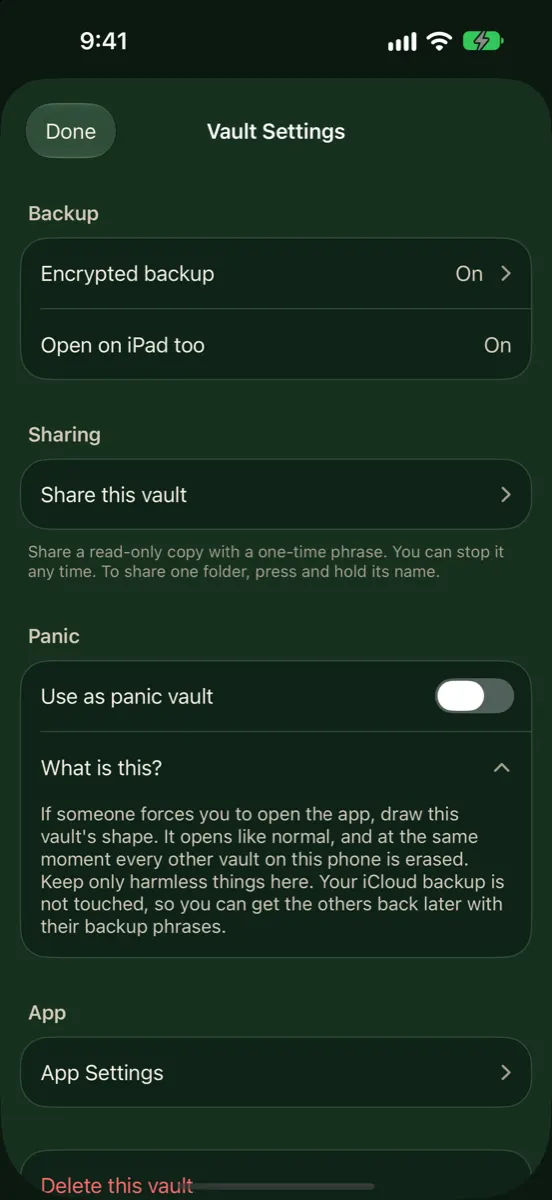
Vaultmira’s Encrypted iCloud Backup is free and on by default. Each photo is sealed with AES-256-GCM on your iPhone, then uploaded to your own private iCloud under a random name. Choose Wi-Fi only or mobile data, keep 1 to 10 versions, and restore with your drawing on any iPhone signed in to the same Apple Account. Get Vaultmira on the App Store.
How it looks in Vaultmira
The Four Ways Vault Apps Handle Backup
| Approach | If you lose the phone | Who could read the backup |
|---|---|---|
| No backup | Photos are lost | Nobody; there is no backup |
| iPhone backup only | Back only if you restore the whole phone | Depends on the app’s own encryption and your iCloud setting |
| Company’s own servers | Back after signing in to your account | The company, unless it encrypts on your phone first |
| Your own iCloud, encrypted on the phone | Back after reinstalling and unlocking | Only you |
No backup
Some apps keep everything on the device and nowhere else. It’s private, and it’s fragile: a lost, stolen or broken phone takes every photo with it.
Relying on your iPhone backup
Apple says iCloud Backup includes data for the apps you’ve downloaded. So an app’s files may be inside your iPhone backup. But you only get them back by restoring a whole phone, and how readable they are depends on whether the app encrypted them itself. Apple also lets you switch individual apps out of iCloud Backup, which removes that app’s data from the backup.
The company’s own servers
Many vault apps offer cloud backup through their own account. It can work well. The key question is whether photos are encrypted on your phone with a key the company never has, or encrypted on the company’s side with a key it holds. Only the first keeps the company out. If a “forgot password” email can restore access, the company holds a way in.
Your own iCloud, sealed on the phone
Apps can store data in your private iCloud through Apple’s CloudKit. If the app seals each file on your iPhone before upload, iCloud only ever stores scrambled data. There is no extra company account, and no company server in the middle.
A vault backup in your iCloud counts toward your iCloud storage, like any app’s data. Apple notes that when iCloud storage is full, iCloud apps stop staying up to date across your devices, so keep an eye on space.
Six Questions to Ask Before You Trust a Backup
- Is backup on by default, or do I have to turn it on?
- Is each photo encrypted on my phone before it uploads?
- Are previews, file names and albums encrypted too?
- How do I restore on a new phone, and what do I need?
- Can I go back to an earlier version if something goes wrong?
- If I forget my password, what happens? An honest private app will say: use your recovery phrase, or the data is gone.
How Vaultmira Backs Up
Vaultmira uses the last approach in the table. There is no Vaultmira account and no Vaultmira server for your files.
- Free and on by default. Backup is part of the free plan, and new vaults start with it on while you’re signed in to iCloud.
- Sealed before upload. Photos, videos, previews, the file list and folder names are all sealed on the phone.
- Your network choice. Back up over is Wi-Fi only by default; you can allow mobile data in App Settings.
- Versions. iCloud keeps the newest versions of each vault, at most one a day plus one each time you tap Back up now. Keep 1, 3, 5 or 10; the default is 3. Versions share the same photos, so extra versions take little space.
- See what’s there. Show existing backups lists each version with its date, item count and size; Total backup storage shows the vault’s iCloud use.
- Go back in time. Restore from backup puts the vault back the way it was at a chosen version.
Per vault, your choice
Each vault has its own Encrypted backup switch in Vault Settings, with a status line. If you aren’t signed in to iCloud, it tells you so. Back up new vaults in App Settings decides whether new vaults start with backup on. A vault with backup off lives only on that device, and if the phone is lost, or a panic drawing erases it, it cannot come back.
Restoring
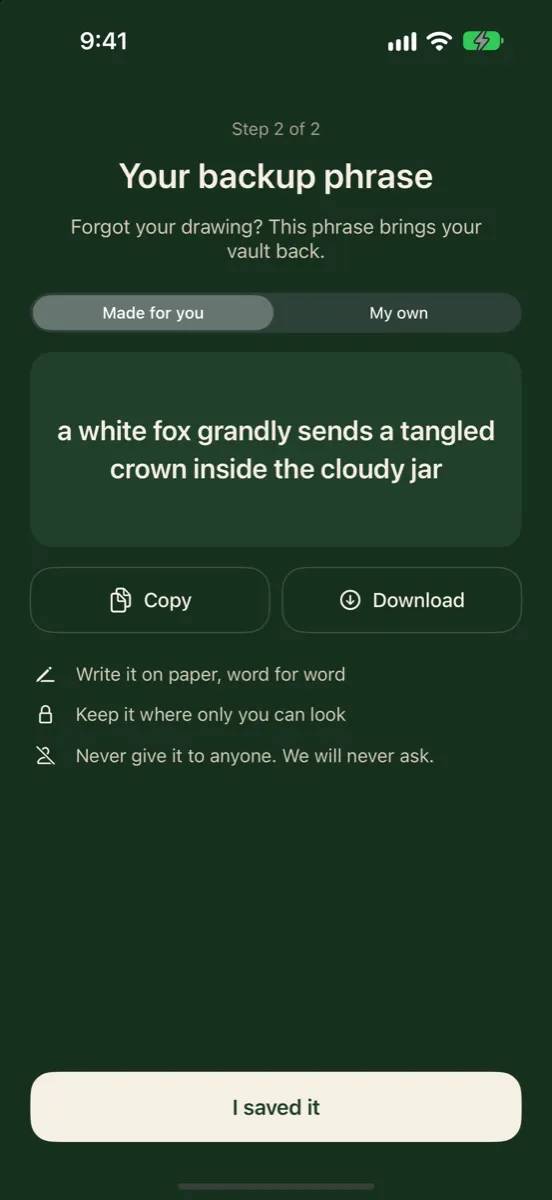
On a new or reset iPhone, sign in to the same Apple Account, install Vaultmira and draw your shape. The vault comes down, still sealed, and opens for that drawing. If you forgot the drawing, your backup phrase opens it and you draw a new one. With Vaultmira Pro, the same backup also keeps an iPad in step; see iPhone + iPad Sync.
For a single photo deleted by mistake, check the vault’s Recently deleted first. Vaultmira keeps deleted items there for 30 days before removing them for good.
Backup, Sync and Sharing Are Different Things
These words get mixed up, and they protect against different problems:
| What it’s for | In Vaultmira | |
|---|---|---|
| Backup | Getting your vault back after losing or replacing a phone | Encrypted iCloud backup, free, on by default |
| Sync | Keeping two of your own devices in step every day | iPhone + iPad, with Vaultmira Pro; last upload wins if both change before a backup |
| Sharing | Giving another person a copy | Secure Sharing: Pro to create, free to open; a snapshot with an end date you choose |
A backup alone is enough to move to a new iPhone. Sync and sharing are extras built on the same sealed files.
A Quick Backup Habit
- After adding important photos, glance at the vault’s backup status, or tap Back up now.
- Keep some free space in iCloud so backups can finish.
- Save your backup phrase away from the phone.
- Before trading in a phone, check every vault shows a recent backup.
A backup you have checked is worth far more than one you assume is there. Make the check part of your routine, and losing a phone becomes an inconvenience rather than a loss. And keep your backup phrase somewhere safe: the backup is only as useful as your way to open it.
Frequently Asked Questions
Do photo vault apps use iCloud Photos?
No. Vault photos aren’t in your Photos library, so iCloud Photos doesn’t touch them. A vault backs up only if the app has its own backup.
Is Vaultmira’s iCloud backup free?
Yes. It’s part of the free plan. It uses your own iCloud storage, so it counts toward your iCloud plan like any app’s data.
Can Apple see my Vaultmira backup?
No. Files are sealed with AES-256-GCM on your iPhone before upload. iCloud stores scrambled records under random names.
Does Vaultmira back up over mobile data?
Not by default. Back up over is set to Wi-Fi only; you can choose Wi-Fi and mobile data in App Settings.
What if my iCloud storage is full?
Backups can’t finish until there is room. Free up space or choose a larger iCloud plan, then tap Back up now.
Can I turn backup off for just one vault?
Yes. Each vault has its own Encrypted backup switch in Vault Settings. That vault then lives only on that device.
Related reading:
Keep it private, for real
Hidden is not the same as locked. Vaultmira seals your photos and files on your iPhone behind a shape only you know.
Download Vaultmira Free