

Best Photo Vault Apps for iPhone: An Honest, Sourced Roundup
There is no single best vault for everyone. There is a best fit for what you want to protect and who from. Here is how the main options compare, using only what each maker publishes.
A fair warning first: we make Vaultmira, so we are not neutral. To keep this useful, every fact about another app below comes from that app’s App Store listing or its maker’s own help pages, linked at the end, as we read them in November 2026. We have not audited other apps’ code, and where a maker doesn’t say something, we say so instead of guessing.
Prices and features change, so check the listing before you buy. And remember that the right answer may be the free option already on your phone.
Our pick for passcode-proof privacy: Vaultmira (we make it)
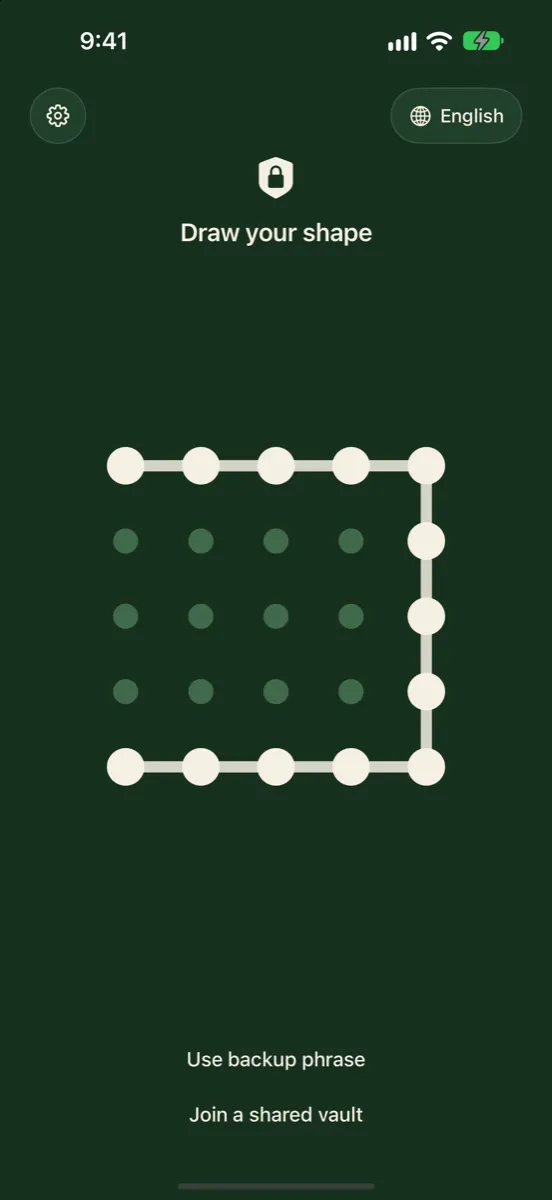
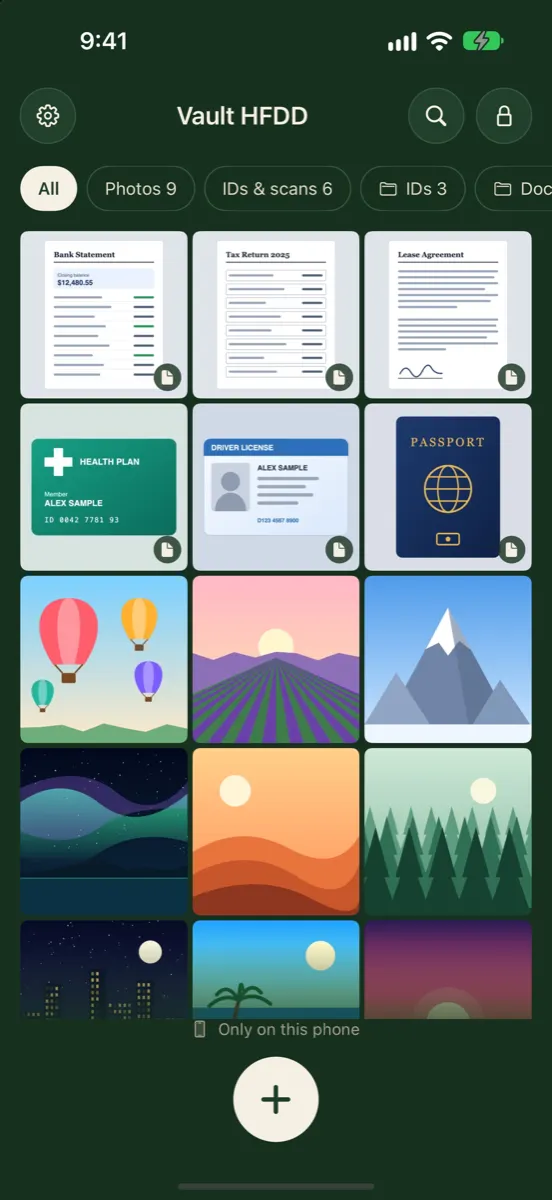
Vaultmira is new: version 1.0 reached the App Store on 13 November 2026, so it has no long track record or ratings yet. What it does have is a clearly stated design: a drawing as the key, PBKDF2 at 600,000 rounds, AES-256-GCM on every file, a backup phrase, free sealed iCloud backup, and no account or analytics. Judge it on the same checks as the others.
How it looks in Vaultmira
Hiding vs Encrypting: The Difference That Matters
Hiding keeps a photo out of sight: out of your camera roll, behind a PIN screen, under a disguised icon. That stops a casual glance. Encrypting scrambles the file itself, so without the right key it is unreadable data, wherever it ends up: on the phone, in a backup, or copied to a computer.
The strongest designs make the key from your password or pattern, so the key isn’t sitting next to the files waiting to be found. That’s also why honest apps can’t reset a forgotten code: if they could, someone else could too.
How We Compared Them
- Unlock: what opens the vault, and whether it can be separate from your iPhone passcode.
- Encryption: whether the maker states that files are encrypted, and how.
- Backup: where copies go and whether the maker says they are encrypted first.
- Recovery: what happens if you forget your code.
- Account and data: whether you need an email account, and what the App Store privacy label lists.
- Price model: free, subscription or one-time, as listed.
For what these checks mean, see Are photo vault apps safe?
At a Glance
| App | Unlock | Encryption stated by maker | Backup | Forgot code |
|---|---|---|---|---|
| Vaultmira | Drawing on a 5×5 grid | AES-256-GCM per file; PBKDF2 key | Free, sealed, your private iCloud | Backup phrase |
| Keepsafe | PIN, Touch ID | Yes, method not named in listing | Keepsafe private cloud | Code sent to verified email |
| Private Photo Vault | PIN, pattern or password | AES-256 (FAQ) | Cloud Vault, Premium | Recovery email if set up |
| Calculator# | Calculator code, PIN, pattern, password, Touch/Face ID | Not described in listing | iCloud, Dropbox, Google Drive, OneDrive | Registered email |
| Hide it Pro | Lock screen | Not described in listing | Cloud storage (paid option) | Paid password reset in listing |
| Apple Hidden album | Face ID, Touch ID or passcode | Device and iCloud encryption | iCloud Photos | Your passcode / Apple Account |
1. Vaultmira: Best for a Key Nobody Else Knows
Maker: Aadstra LLC. Devices: iPhone and iPad. Price: free plan (unlimited vaults, 100 photos and 10 videos per vault, iCloud backup, camera); Pro $1.99/week, $3.99/month, $14.99/year with 7 days free, or $29.99 once; Family $37.49/year or $74.99 once (US).
- Strengths: each vault opens only with its own drawing; every file, preview and the file list sealed with AES-256-GCM; no account, email or analytics; free encrypted backup to your own iCloud; vaults are never listed; panic drawing, secure sharing and disguise icons with Pro; 27 languages.
- Limits: brand new (1.0, November 2026); no Face ID unlock by design; no Android, Mac or web app; files leave the app one at a time; lose both drawing and phrase and the vault is gone.
2. Keepsafe: Best for Cross-Platform Sync
Maker: KeepSafe Software, Inc. Price: free with ads, plus Keepsafe Premium by subscription (monthly and yearly are listed).
- What the maker lists: PIN and Touch ID, encryption, custom albums, an in-app camera, “Safe Send” for time-limited sharing, and sync across Keepsafe installations on any platform. Premium adds per-album PINs, a private cloud of up to 10,000 items, Space Saver and Trash Recovery.
- Account: Keepsafe’s help centre describes signing up with your name and email, and resetting a forgotten PIN with an access code sent to your verified email.
- Privacy label: lists Usage Data as data that may be used to track you.
- Good fit if: you want one vault on iPhone and Android and are comfortable with an email-based account.
3. Private Photo Vault: Best for Classic Vault Features
Maker: Legendary Software Labs LLC. Price: free with in-app purchases; Premium subscription. Age rating: 16+.
- What the maker lists: PIN, pattern or password; password-protected albums; a decoy password; a break-in report with photo and GPS; a private web browser; and Cloud Vault, an encrypted backup.
- Encryption: its FAQ says it uses AES-256, and its security page says local storage works without an account.
- Recovery: a recovery email can reset the app passcode if you set one up; the separate Cloud Vault password can’t be recovered by the company. The free version doesn’t back up to Cloud Vault.
- Privacy label: lists Usage Data as possibly used to track you, and several data types linked to you, including purchases, user content and identifiers.
- Good fit if: you want long-established features like decoy passwords and break-in reports.
4. Calculator#: Best for a Working Calculator Disguise
Seller: Salman Ashraf (privacy details list NewSoftwares.net). Price: free with ads and limitations; annual subscription $4.99 per the listing.
- What the maker lists: a calculator front, plus PIN, pattern, password or Touch/Face ID; hides photos, videos, documents, notes, contacts and passwords; panic switch, a fake-crash disguise mode and a log of wrong-password attempts; backup to iCloud, Dropbox, Google Drive or OneDrive; password recovery by registered email.
- Encryption: the listing doesn’t describe an encryption method.
- Privacy label: lists Contact Info as data that may be used to track you.
- Good fit if: a convincing calculator front matters most to you. Read Calculator vault apps: what they hide and what they don’t.
5. Hide it Pro: Best for a Simple, Long-Running Option
Seller: Anuj Tenani. Price: free; in-app purchases listed include Cloud Storage ($9.99) and Password Reset ($4.99). Language: English.
- What the maker lists: albums behind a lock screen, import from the gallery or camera, a disguise screen that makes the app look crashed, an “escape” unlock code that makes the app look empty, cloud backup and USB export.
- Encryption: the listing doesn’t describe an encryption method.
- Privacy label: lists Diagnostics, not linked to you.
- Good fit if: you want a basic hiding app with a decoy-style unlock.
6. Apple’s Hidden Album and Locked Notes: Best Free Option
Before installing anything, consider what is already on your iPhone. The Hidden album keeps photos out of your Library and opens with Face ID, Touch ID or your passcode. Locked notes can use a separate Notes password and, for iCloud accounts, end-to-end encryption, according to Apple. Both are free and maintained by Apple. Neither stops someone who knows your passcode, unless you give Notes its own password. See Hidden album vs a photo vault app.
What No Secret Photo App Can Do
- Protect a photo that’s still in your camera roll. Delete the original and empty Recently Deleted after importing.
- Stop a camera pointed at your screen. Screenshot blocking doesn’t stop a second phone.
- Save you from a weak or shared code. If someone watches you draw or type it, they have it.
- Recover a lost key in a well-built app. Keep your backup phrase or recovery method somewhere safe.
For a wider roundup, read Best photo vault apps for iPhone, or the side-by-side pages Vaultmira vs Obscura and Vaultmira vs Keepsafe.
Subscriptions and Free Trials
Apple says that if you don’t want a trial to renew, cancel it at least 24 hours before it ends. You can cancel any time in Settings → [your name] → Subscriptions (Cancel a subscription from Apple).
If you were charged for something you didn’t mean to buy, you can ask Apple for a refund at reportaproblem.apple.com (Request a refund).
Compare the yearly price with the weekly one multiplied out, and check whether a one-time lifetime option exists. As of November 2026, Vaultmira Pro in the US is $1.99 a week, $3.99 a month, $14.99 a year with 7 days free, or $29.99 once for lifetime. Prices are set in the App Store and can differ by country.
Red Flags
- Security claims with no method named.
- A required account with an easy email reset that opens your vault.
- Photos you can’t export unless you pay.
- A calculator disguise presented as the main protection.
- Ads inside a privacy app.
- A trial that starts before you have seen what the free plan does.
For a wider look at the market, read Best photo vault apps for iPhone and Are photo vault apps safe?
A Privacy Checklist at a Glance
| Check | What to look for | Vaultmira |
|---|---|---|
| Data collected | Data Not Collected | Data Not Collected |
| Account | None required | None |
| Encryption | On device, AES-256 | AES-256-GCM, key from your drawing |
| Backup | Your own cloud, pre-encrypted | Your private iCloud, sealed first |
| Library access | Picker, not full access | Apple’s picker |
| Camera | Bypasses Photos | Yes, no GPS |
| Visible traces | No counts, blank screenshots | Yes |
| Honest limits | Written down | Listed on this page |
| Business model | Clear price, no ads | Free plan + Pro |
Vaultmira runs on iPhone and iPad with iOS 26 or later, in 27 languages. Read the full security architecture, or compare options in the best photo vault apps for iPhone.
Which One Fits You?
| If you want… | Look at |
|---|---|
| A lock your household doesn’t know, no account | Vaultmira |
| The same vault on iPhone and Android | Keepsafe or Private Photo Vault |
| Decoy password and break-in photos | Private Photo Vault |
| A real working calculator on the front | Calculator# |
| Nothing to install | Apple’s Hidden album or locked notes |
Import a few photos first and open them. Try exporting one. Check the backup actually finishes. Only then delete the originals from Photos and from Recently Deleted. A vault you can’t get files out of, or that never finished backing up, is a risk of its own.
For one-to-one detail, see our comparisons: Vaultmira vs Keepsafe, Vaultmira vs Private Photo Vault, Vaultmira vs Calculator# and Vaultmira vs Hide it Pro.
Frequently Asked Questions
What is the most secure photo vault app for iPhone?
Look for one that states how it encrypts every file, uses a key separate from your passcode, and doesn’t hold a way into your files. Vaultmira and Private Photo Vault both publish their encryption; Vaultmira also needs no account. We make Vaultmira, so weigh our view accordingly.
Is there a good free photo vault?
Apple’s Hidden album and locked notes are free and built in. Most vault apps are free to start: Vaultmira’s free plan has unlimited vaults with 100 photos and 10 videos each, plus free encrypted iCloud backup.
Which vault apps work on Android too?
Keepsafe and Private Photo Vault both describe syncing between iPhone and Android. Vaultmira is iPhone and iPad only.
Do I need an account for a vault app?
Not always. Vaultmira has no account at all. Private Photo Vault says its local vault works without one. Keepsafe’s help centre describes an email sign-up.
Why doesn’t this list include more apps?
We only included apps whose facts we could check on their App Store listing or maker’s pages. We may add others as we verify them.
Do all secret photo apps encrypt photos?
No. Many describe locks and disguises without naming an encryption method. Look for a maker that states how files are encrypted and where the key comes from.
How do I cancel a photo vault free trial?
Settings → [your name] → Subscriptions → the subscription → Cancel Subscription. Apple advises doing it at least 24 hours before the trial ends.
Can Vaultmira recover my vault if I forget the drawing?
Only you can, with the backup phrase. We have no account for you and no copy of your key.
Where can I see what a photo app collects?
On its App Store page, in the App Privacy section. The developer states what data is collected and whether it is linked to you.
Related reading:
Keep it private, for real
Hidden is not the same as locked. Vaultmira seals your photos and files on your iPhone behind a shape only you know.
Download Vaultmira Free