

Hidden Photos on iPhone: Where They Go and Who Can See Them
Hiding a photo feels like putting it away. In fact it stays right inside your photo library with a different label. Here is where it goes, how to find it, and who can still look.
The Hidden album is one of the most useful privacy features on iPhone, and one of the most misunderstood. Many people assume a hidden photo is stored somewhere separate and secret. It isn’t, and knowing that helps you decide what belongs there.
This guide covers where hidden photos live, what to do if you can’t find them, and a plain table of who can see them, from the friend on your sofa to the apps on your phone.
Best for photos that should leave Photos entirely: Vaultmira
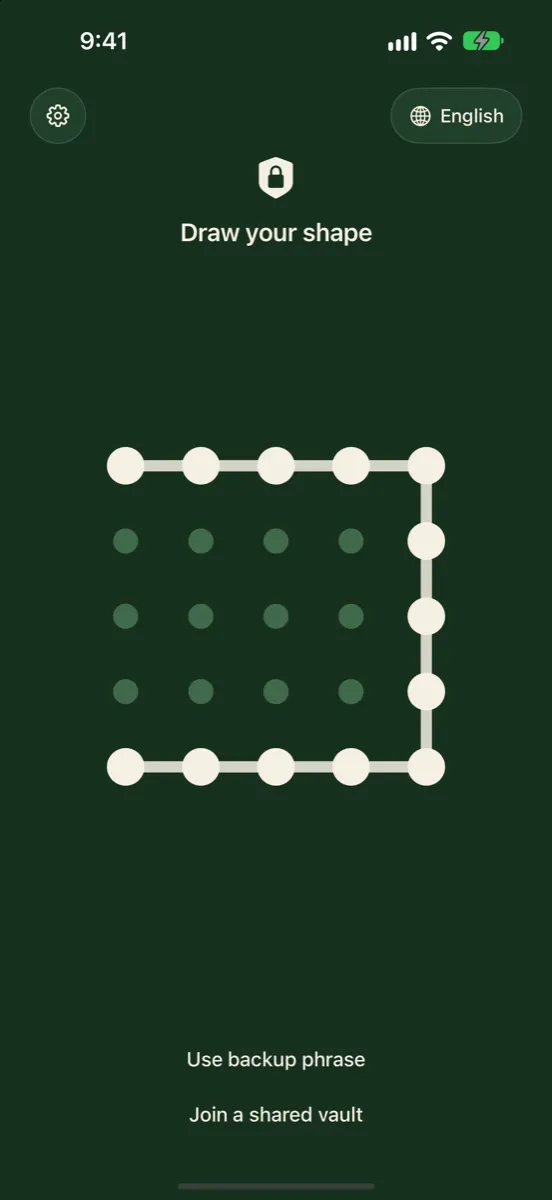
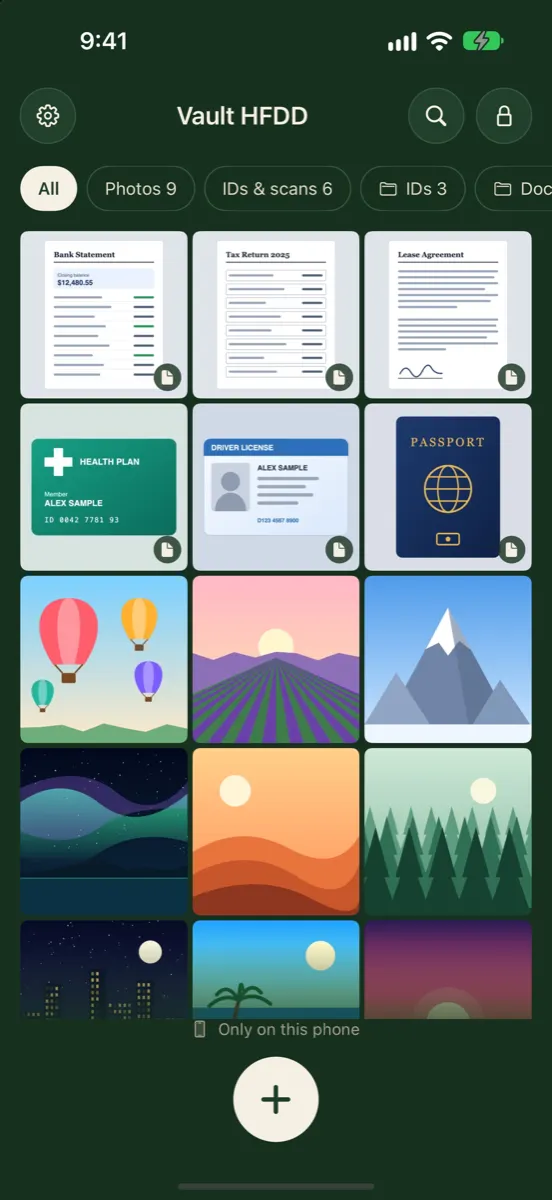
The Hidden album keeps a photo inside the Photos library and its passcode lock. Vaultmira takes it out: the photo is sealed with AES-256-GCM in a vault that opens only with a shape you draw, and its encrypted backup goes to your own private iCloud, never into your photo library.
How it looks in Vaultmira
Where Hidden Photos Go
When you hide a photo or video, Apple moves it to the Hidden collection. According to Apple’s support page, it then doesn’t appear anywhere else in Photos: not in the Library, not in other albums, and not in the Photos widget on your Home Screen.
There is no second, secret folder. A hidden photo is the same photo, in the same library, marked as hidden. That is why you can unhide it instantly, and why it follows your library to other devices.
If you use iCloud Photos, Apple says the photos you hide on one device are hidden on your other devices too. So a hidden photo on your iPhone is also present, and hidden, on your iPad and Mac signed in to the same Apple Account.
How to Find Your Hidden Photos
- Open the Photos app.
- Tap Collections.
- Scroll to Utilities and tap Hidden.
- Tap View Album, then unlock with Face ID, Touch ID or your passcode.
To unhide one, open it, tap the menu button and choose Unhide. It reappears in your Library.
If the Hidden Album Isn’t There
- Show Hidden Album is off. Go to Settings → Apps → Photos and turn on Show Hidden Album. While it is off, hidden items don’t appear anywhere in Photos.
- The photo was deleted, not hidden. Look in Recently Deleted under Utilities. Deleted items stay there for 30 days.
- A different Apple Account. Hidden photos belong to the library they were hidden in. If you signed in with another account, that library isn’t on this device.
- iCloud Photos is still catching up. On a new or freshly restored device, give the library time to finish downloading.
Who Can See Your Hidden Photos
This is the part that matters most. The answer depends on who, or what, is looking.
| Who or what | Can see hidden photos? | Why |
|---|---|---|
| Someone scrolling your Library | No | Hidden items are left out of Library, albums and widgets |
| Someone who knows your passcode | Yes | The passcode unlocks the Hidden collection |
| Anyone whose face or fingerprint is set up on your iPhone | Yes | Face ID and Touch ID unlock it |
| Your iPad or Mac with iCloud Photos | Yes, behind that device’s lock | Hidden items sync across your library |
| An app you gave full Photos access | Not while the Hidden album is locked | Apple’s developer docs say apps get no hidden photos while the Hidden lock is on (iOS 16 and later) |
| Apple, with standard iCloud protection | Technically able | Apple holds the keys for Photos under standard data protection |
| Apple, with Advanced Data Protection | No | Photos becomes end-to-end encrypted |
People around you
Against a quick glance, the Hidden collection works well. It is locked by default and nothing from it shows up while someone scrolls. But the lock is the same one that guards your whole phone. A partner, parent, child or friend who knows your passcode can open Hidden as easily as you can.
Apps on your iPhone
When an app asks for access to your photos, you can give it full access or only selected photos. Apple’s developer documentation says that since iOS 16, while the Hidden album is locked, apps with full access do not receive your hidden photos. If you switch the Hidden album lock off, that protection goes with it, so keep the lock on and prefer selected photos over full access when privacy matters.
Apple and iCloud
Under standard data protection, your iCloud Photos are encrypted, but Apple keeps the keys so it can help you recover your data. If you turn on Advanced Data Protection, Photos joins the categories that are end-to-end encrypted, and the keys stay on your trusted devices, according to Apple’s iCloud data security overview. Either way, hidden photos are treated the same as the rest of your library.
Hidden Photos on Your Mac
On a Mac the Hidden album works a little differently. Apple says it is off by default there. To see it, open Photos and choose View → Show Hidden Photo Album; it then appears in the sidebar under Utilities, and it is locked with Touch ID or your login password. So if your Mac shares your iCloud Photos library, your hidden photos are on it too, one menu away for anyone who can sign in to that Mac.
A Quick Privacy Check for Hidden Photos
- Is the lock on? In Settings → Apps → Photos, the Use Face ID (or Touch ID, or Passcode) switch should be on. It is on by default.
- Who knows your passcode? Everyone who does can open Hidden. If that list includes someone you’re hiding photos from, Hidden is the wrong tool.
- Whose face is enrolled? Face ID can hold an alternate appearance. Make sure it’s yours.
- Which devices share your library? A family iPad or an old Mac signed in to your Apple Account carries your hidden photos too.
- Which apps have full photo access? Review them in Settings and switch any that don’t need everything to selected photos.
- Anything in Recently Deleted? Deleted items wait there for 30 days. It is locked by default too, but it is still there.
What “Hidden” Is Good For
- Keeping screenshots, receipts and gift ideas out of your main camera roll.
- Showing someone your photos without a private one appearing mid-scroll.
- Keeping a photo out of the Photos widget on your Home Screen.
When You Need More Than Hidden
If the worry is someone who can unlock your phone, or if you simply want the photo out of your photo library altogether, move it into an encrypted vault. In Vaultmira:
- Draw a shape to make a vault, and save its backup phrase.
- Tap + → From Photos and pick the hidden photos. The picker shows only what you choose; Vaultmira doesn’t need full library access.
- Tap Remove from Photos and confirm, then delete them from Recently Deleted in the Photos app.
From then on the photos are sealed with AES-256-GCM in a vault that opens only with your drawing. They no longer sync with your photo library. If you want a copy off the phone, Vaultmira’s free Encrypted iCloud Backup uploads them already sealed to your own private iCloud, where they appear as scrambled records with random names.
For a side-by-side look, read Hidden album vs a photo vault app or our page Vaultmira vs Apple’s Hidden album.
Frequently Asked Questions
Are hidden photos stored in a separate place on iPhone?
No. They stay in your Photos library and are marked as hidden. They just don’t show in the Library, other albums or the Photos widget.
Can my partner see my hidden photos?
If they know your passcode, or their face or fingerprint is set up on your iPhone, yes. The Hidden collection opens with the same unlock as your phone.
Do hidden photos show up on my Mac or iPad?
With iCloud Photos on, they are on those devices too, hidden there as well. They open with that device’s own lock.
Why can’t I find my Hidden album?
Most often Show Hidden Album is turned off. Go to Settings → Apps → Photos and turn it on. If the photo was deleted rather than hidden, look in Recently Deleted.
Are hidden photos encrypted?
They are protected like the rest of your library: by your device’s encryption and, in iCloud, by Apple’s encryption. With standard data protection Apple holds the iCloud keys; with Advanced Data Protection, Photos is end-to-end encrypted. Hiding a photo doesn’t add a separate key.
Do photos in Vaultmira appear in the Hidden album?
No. Photos in Vaultmira live in the app’s own sealed storage, not in your photo library, so they never appear in Photos at all.
Related reading:
Keep it private, for real
Hidden is not the same as locked. Vaultmira seals your photos and files on your iPhone behind a shape only you know.
Download Vaultmira Free