
Photo Vault Apps That Work on Both iPhone and Android
Many of the best-known iPhone vaults have no Android app at all. Here is which ones run on both, which can carry one vault across, and what each choice costs you in privacy.
A fair warning first: we make Vaultmira, so we are not neutral. To keep this useful, every fact about another app comes from its store listing or its maker’s own pages, linked at the end, as we read them in November 2026. Where a maker doesn’t say something, we write “not stated” instead of guessing.
Two questions get mixed up when people search for a vault that works on iPhone and Android. One: is the app on both stores? Two: can the same vault, with the same photos, open on both? Many apps pass the first test. Far fewer pass the second, and the ones that do usually ask for something in return.
Our pick for iPhone and Android without an account: Vaultmira (we make it)
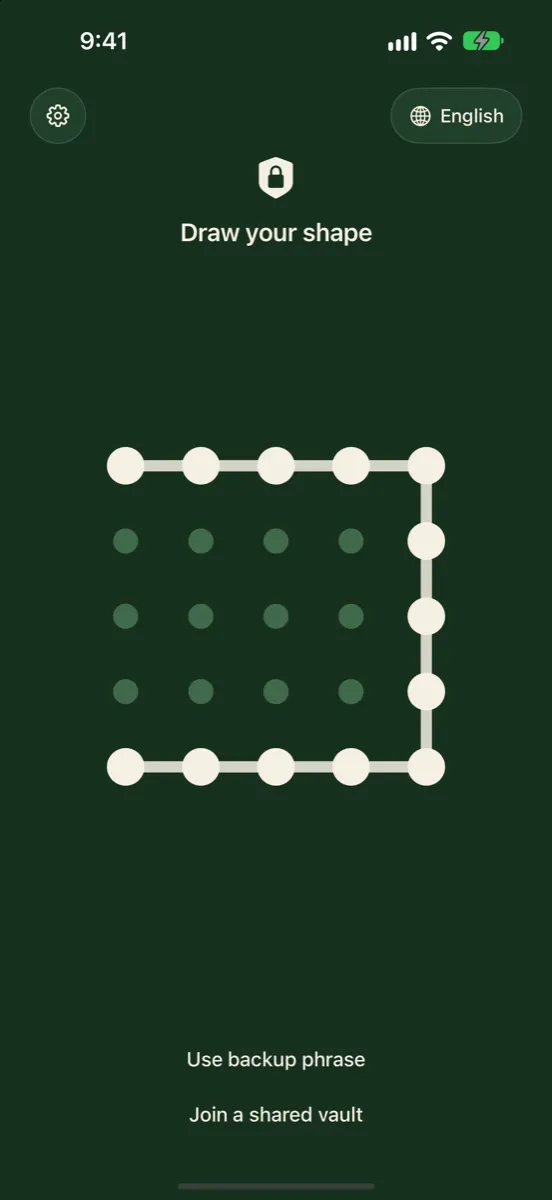
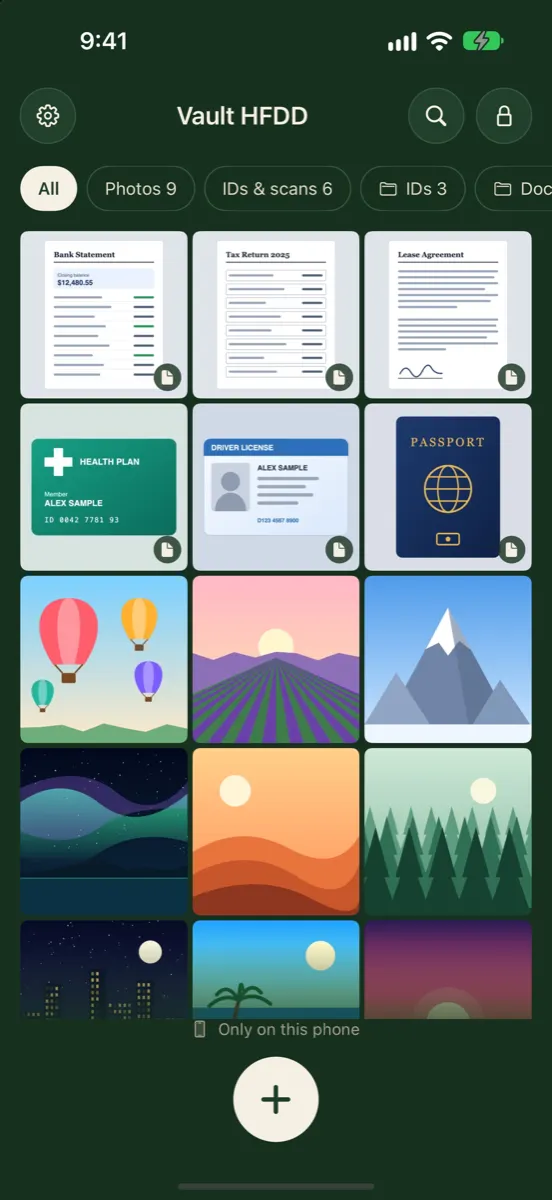
Vaultmira reached Google Play on 25 November 2026, so it is brand new on Android. The Android app opens with the same drawing on a 5×5 grid of dots and seals every file with the same AES-256-GCM encryption as the iPhone app. The free plan is the same too. The honest limit: a vault stays on the side it was made on. Each phone backs up to its own cloud, so an iPhone vault does not appear on an Android phone. Read about Vaultmira for Android.
How it looks in Vaultmira
At a Glance
“One vault on both” means the same photos can open on an iPhone and an Android phone. “Not stated” means we could not find the answer on the maker’s own pages.
| App | iPhone | Android | One vault on both? | Account needed? |
|---|---|---|---|---|
| Vaultmira | Yes (also iPad and Mac) | Yes, Android 9 or newer | No, each phone keeps its own vaults | No |
| Keepsafe | Yes | Yes | Yes, through a Keepsafe account and its cloud | Yes, with a confirmed email |
| Private Photo Vault | Yes | Yes | Yes, through its paid Cloud Vault | Not for the on-phone vault; Cloud Vault needs one |
| Obscura | Yes | Yes | Yes, by exporting the vault as one encrypted file | No |
| Hide it Pro | Yes | Yes | Not stated | Not stated |
| PV - Secret Photo Album | Yes | Yes, as “PV - Calculator Photo Vault” | Not stated | Not stated |
| Calculator# Hide Photos Videos | Yes | Yes, last updated September 2021 | Not stated | Not stated |
| Google Photos Locked Folder | Yes, in the Google Photos app | Yes | Yes, if Locked Folder backup is on | Your Google Account |
| Vaultaire, Encamera, Privault, Safe Lock, SPV, Secret Photo Album - SA | Yes | No | No | Varies; see each comparison |
| Apple’s Hidden album | Built in | No | No | Your Apple Account |
Why “On Both” Is Harder Than It Sounds
A good vault encrypts your photos. That means it scrambles each file with a secret key, so without the key the file is just noise. The hard part is the key. To open the same vault on two phones, both phones need the key, and the files need a place both phones can reach.
There are only a few ways to do that. The app can keep your files in its own cloud, tied to an account. It can let you carry a file from one phone to the other yourself. Or it can use each phone’s own cloud, iCloud on iPhone and Google Drive on Android, which do not talk to each other. Each way has a cost, and it is worth knowing which one you are picking.
Vaultmira on iPhone and Android
- Same lock. You open a vault by drawing a shape on a 5×5 grid of dots (at least 6 dots and one turn). Each drawing opens its own vault, and the app never shows a list of your vaults. See drawing encryption and hidden vaults.
- Same encryption. AES-256-GCM on every file, preview and the file list. The key is made from your drawing with PBKDF2-HMAC-SHA256 at 600,000 rounds, so there is no stored PIN to crack.
- Same way back in. A backup phrase (9 words made for you, or your own 6 or more) opens the vault if you forget the drawing. Lose both and nobody can open it, not even us.
- Same free plan. Unlimited vaults, 100 photos and 10 videos per vault, encrypted backup, the Secure Camera, a document scanner and private notes.
- No account anywhere. No email, no analytics, no ads. Screenshots and screen recordings of the app come out black.
Backups go to your own cloud. On iPhone, to your private iCloud. On Android, to your own Google Drive, in a hidden app-data folder you can’t browse in Drive. Files are sealed on the phone before they upload, so Apple and Google can’t read them, and nothing passes through a Vaultmira server, because we have none.
A few differences. With Pro, the disguise on Android changes both the icon and the name under it (Calculator, Notes, Weather, Units, Level, Compass or Flashlight); on iPhone only the icon changes. Sharing a vault with another person and Family plans are not on Android yet. On the Apple side, Pro opens the same vault on iPhone, iPad and Mac through your private iCloud.
iPhone-Only Vaults (No Android App)
We checked Google Play (US) on 25 November 2026 for an Android app from the same maker as each of these. We found none.
- Vaultaire (Wraxle LLC): its own site calls it an iPhone and iPad app, sold only through the App Store. Watch out: “Photo Vault - Vaultaire” on Google Play comes from a different developer (ByteAI Labs), not Wraxle.
- Encamera (Encamera LLC): account-free encrypted camera and vault, iPhone and iPad. See Vaultmira vs Encamera.
- Privault (Binspir Technologies): keypad vault with decoy and erase-all passcodes. See Vaultmira vs Privault.
- Safe Lock - Hidden Photo Vault: several lock types and files kept on the device. See Vaultmira vs Safe Lock.
- SPV - Secret Photo Vault (Maple Labs): an all-in-one hider with a calculator look. See Vaultmira vs SPV.
- Secret Photo Album - SA (BPMobile): decoy PIN and a Premium cloud tied to your email. See Vaultmira vs Secret Photo Album.
- Apple’s Hidden album: built into Photos on iPhone, and there is no Apple Photos app on Android. See Vaultmira vs Apple’s Hidden album.
None of this makes them bad apps. It only matters if someone in your life uses Android, or you might switch one day. If you like one of them and you are moving to Android, plan to take your photos out before you leave the iPhone.
Vaults That Can Move One Vault Across
- Keepsafe syncs across Keepsafe installs on any platform. The price is an account: you confirm an email, and logging in on a new device uses a code sent to that email. Backups live in Keepsafe’s own cloud. See Vaultmira vs Keepsafe.
- Private Photo Vault works offline with no account, but syncing between phones goes through Cloud Vault, which is a paid feature with its own sign-in. Its maker says Cloud Vault adds AES-256 on the device, from a password it never receives. See Vaultmira vs Private Photo Vault.
- Obscura has no account and no cloud. Its site says each device keeps its own vaults, and an encrypted export file moves one across, between iPhone and Android too. You carry the file yourself. See Vaultmira vs Obscura.
- Google Photos Locked Folder is free on both. With Locked Folder backup turned on, it opens on other devices signed in to the same Google Account. But on iPhone it opens with your phone’s Face ID, Touch ID or passcode, with no separate password, and Google does not describe the backup as end-to-end encrypted. See Google Photos Locked Folder sync.
Cross-platform sync needs either an account in the middle or a file you move by hand. Vaultmira chose neither: no account, and nothing on a company server. The cost is that an iPhone vault and an Android vault are separate. If one shared vault across both systems matters more to you than having no account, Keepsafe or Private Photo Vault may suit you better. If you want both no account and a way across, Obscura’s export file is the honest middle path.
How to Choose
| If you… | Look at |
|---|---|
| Use one phone, and might switch platform one day | An app on both stores, such as Vaultmira |
| Want no account and no company server | Vaultmira or Obscura |
| Need the same vault on an iPhone and an Android phone, every day | Keepsafe or Private Photo Vault |
| Want no account but a way to carry a vault across | Obscura’s export file |
| Want something free that is already installed | Google Photos Locked Folder |
| Only ever use Apple devices | Any of the above, or an iPhone-only vault |
Whatever you pick, check four things: the app names how it encrypts files, the lock is separate from your phone’s passcode, you know where the backup goes, and you know what happens if you forget the code. More in Are photo vault apps safe?
Moving from iPhone to Android (or Back)
With Vaultmira, a vault does not travel by itself. Your iPhone backup sits in iCloud and your Android backup in Google Drive, and neither phone can read the other’s. So you move the photos, not the vault:
- On the new phone, install Vaultmira, draw a new shape and save its backup phrase.
- On the old phone, open each vault and share a copy of each file out, one at a time. Remember each drawing opens its own vault, and the app never lists them, so go through every shape you use.
- Move those copies to the new phone the way you move other photos.
- Add them to the new vault, open a few to check, and let the backup finish.
- Delete the plain copies from both phones, including Recently Deleted or Trash. Then delete the old vaults.
It takes more taps than a sync button. In return, your photos are never held by us or tied to an email. For the export step in detail, see How to export photos from a vault app.
Leaving an iPhone-only app works the same way: export from it first, while you still have the iPhone. Coming from a Samsung phone? Read Samsung Secure Folder vs iPhone.
Frequently Asked Questions
Is Vaultmira on Android?
Yes. Vaultmira has been on Google Play since 25 November 2026, for Android 9 or newer, in 176 countries, as “Secret Photo Vault - Vaultmira”. It is also on the App Store for iPhone, iPad and Mac.
Is Vaultaire available on Android?
No. Vaultaire’s own site describes it as an iPhone and iPad app distributed only through the App Store. A Google Play app named “Photo Vault - Vaultaire” is from a different developer, ByteAI Labs, not Wraxle LLC, which makes Vaultaire.
Can I use the same vault on iPhone and Android?
Not with Vaultmira. Each phone keeps its own vaults and backs them up to its own cloud. Keepsafe (account and its cloud), Private Photo Vault (paid Cloud Vault) and Obscura (an encrypted export file) say they can move a vault between iPhone and Android.
Which photo vault apps work on both iPhone and Android?
Vaultmira, Keepsafe, Private Photo Vault, Obscura, Hide it Pro, PV and Calculator# all have apps on both stores, though Calculator#’s Android app was last updated in September 2021. Google Photos Locked Folder is a free built-in option on both.
Do I need an account to use a photo vault on two phones?
Usually, if you want automatic sync. Keepsafe needs a confirmed email, and Private Photo Vault’s Cloud Vault needs a sign-in. Obscura avoids an account by letting you carry an encrypted file yourself. Vaultmira needs no account, but doesn’t sync between iPhone and Android.
Where does Vaultmira back up on Android?
To your own Google Drive, in a hidden app-data folder you can’t browse. Files are sealed on the phone first, so Google can’t read them, and nothing passes through a Vaultmira server.
What happens to my vault if I switch from iPhone to Android?
With Vaultmira, the iPhone vault stays in your iCloud. Share copies of your files out on the iPhone, move them across, add them to a new vault on the Android phone, then delete the plain copies.
Is Apple’s Hidden album available on Android?
No. It is part of Apple’s Photos app, which doesn’t run on Android. On Android, Google Photos has Locked Folder.
Related reading:
- How to Hide Photos on iPhone (and Unhide Them)
- How to Hide Videos on iPhone
- How to Lock Photos on iPhone
Keep it private, for real
Hidden is not the same as locked. Vaultmira seals your photos and files on your phone behind a shape only you know.