

AES-256 Encryption Explained Simply
You see “AES-256” on banking apps, password managers and photo vaults. Here is what it actually does, why experts trust it, and the one question you should ask any app that uses it.
Encryption is a lock for data. You put readable information in, along with a secret key, and get scrambled bytes out. With the right key, the scrambled bytes turn back into the original. With the wrong key, you get nothing useful.
AES is the lock most of the world agreed on. NIST chose it in an open, public competition and published it as a federal standard in 2001; it was updated in 2023. Today it protects web traffic, Wi-Fi, disk encryption and countless apps. The “256” is the size of the key.
AES-256 done carefully: Vaultmira
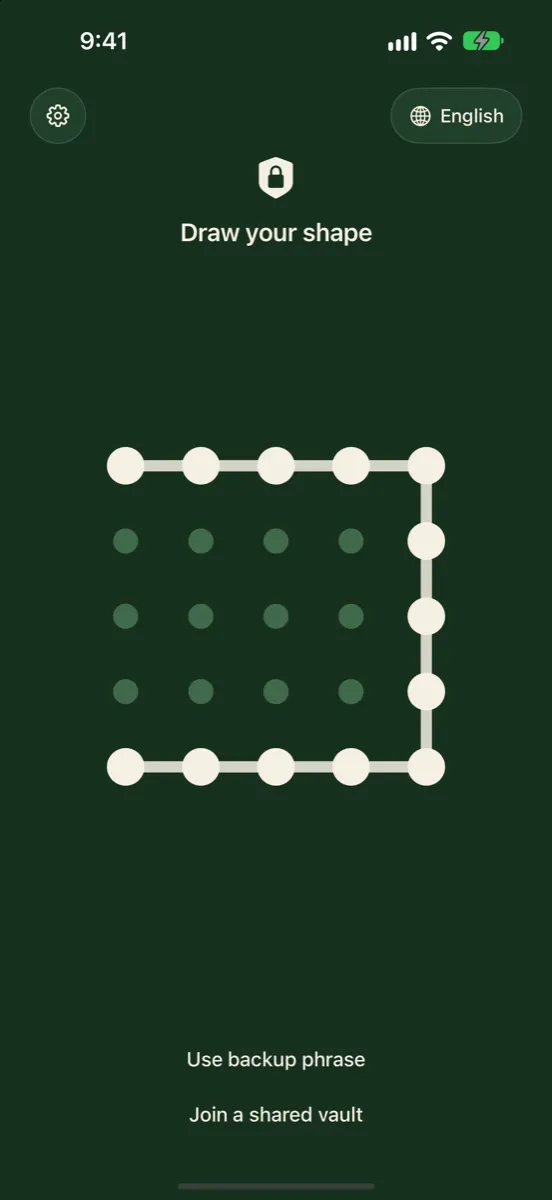
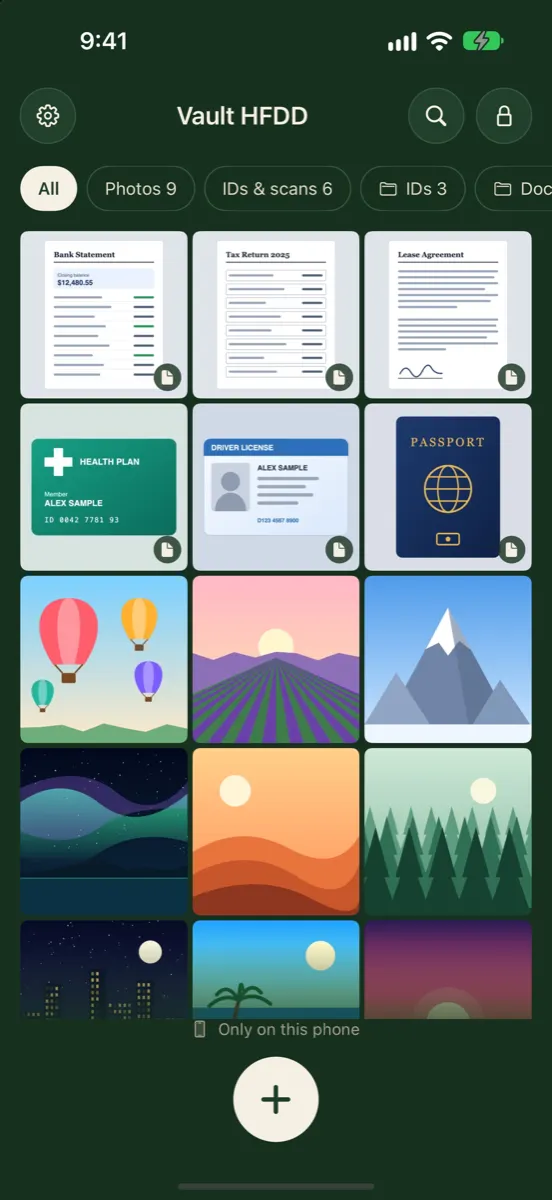
Vaultmira seals every photo, video, preview and its file list with AES-256-GCM on your iPhone, under a random master key. That key is unlocked by a key made from your drawing with PBKDF2-HMAC-SHA256 at 600,000 rounds, so guessing is slow by design. No account, no server holding your keys. Get Vaultmira on the App Store.
How it looks in Vaultmira
How AES Works, Without the Math
AES works on small blocks of data, 16 bytes at a time. Each block goes through a series of rounds. In each round the bytes are swapped for other bytes, shifted around, mixed together and combined with part of the key. With a 256-bit key there are 14 rounds. After a few rounds, every bit of the output depends on every bit of the input and of the key, so changing one letter of a photo, or one bit of the key, changes everything.
Think of it like a deck of cards shuffled in a very particular way, many times over, where the shuffle pattern is set by your key. Anyone can know how the shuffle works, because the method is public. Without the key, they can’t undo it.
A secret, home-made encryption method is a warning sign. AES has been studied in the open by cryptographers for decades. Its strength comes from the key, not from hiding how it works.
How Big Is 2<sup>256</sup>?
A 256-bit key can be any one of 2256 values. Written out, that is about 1.16 × 1077, a number with 78 digits. Trying every possible key isn’t a question of a faster computer or a bigger data center; the number is simply too large for any realistic amount of computing to work through.
What about quantum computers?
Quantum computers threaten some kinds of encryption, mainly the public-key systems used to set up connections. For AES, NIST’s view is calmer: a known quantum method called Grover’s algorithm would give attackers far less advantage in practice than headlines suggest, and NIST writes that AES-192 and AES-256 are expected to stay safe for a very long time. In its post-quantum planning, NIST puts AES-256 in its highest security category.
AES-256-GCM: Encryption That Also Spots Tampering
AES on its own scrambles data. Apps also need to know that nobody has quietly changed the scrambled data. That is what GCM (Galois/Counter Mode), described in NIST SP 800-38D, adds. It attaches a short tag to each sealed file. When the file is opened, the tag is checked first; if even one bit has changed, opening fails instead of handing back damaged or altered data.
- Confidentiality. Without the key, the data is unreadable.
- Integrity. If the data was changed, opening fails.
- A fresh starting value each time. GCM uses a unique number, called a nonce, for every sealing, so the same photo sealed twice looks different each time.
Four Myths About AES-256
- “AES-256 means nobody can ever see my files.” It means nobody can read the sealed copy without the key. A file that is open on your screen, or a key that is easy to guess, is a different story.
- “A bigger number is always the safer app.” An app using AES-128 with careful key handling can be safer than one using AES-256 with a key stored next to the data. The cipher is rarely the weak link.
- “Encrypted in the cloud is the same as encrypted on my phone.” If the company encrypts your files on its own server, it holds the key and can decrypt them. Encryption on your device, with a key only you control, is what keeps the company out.
- “If it’s encrypted, the file names and previews are too.” Not always. Some apps seal the full-size photo but leave small previews or names readable. Ask what exactly is encrypted.
None of this is a reason to worry about AES itself. It is a reason to look past the label to how an app actually uses it.
The Real Question: Where Does the Key Come From?
Every app can honestly say “we use AES-256.” What separates them is everything around it:
| Question | Weak answer | Strong answer |
|---|---|---|
| Where is data encrypted? | On the company’s server | On your device, before saving or uploading |
| Who holds the key? | The company | Only you, through your password or drawing |
| How is the key made from your password? | A quick hash, or the password itself | A slow, salted key function such as PBKDF2 with many rounds |
| What is encrypted? | Only the files | Files, previews, file names and the file list |
| Can the company reset it? | Yes, by email | No; recovery only with something you hold |
The key function matters because people pick memorable secrets. A slow function such as PBKDF2, described by NIST in SP 800-132, makes every single guess cost real computing time. The OWASP Password Storage Cheat Sheet recommends at least 600,000 rounds when PBKDF2 is used with HMAC-SHA256.
How Vaultmira Uses AES-256
- A random master key per vault. Each vault has its own random 256-bit key. Your drawing doesn’t encrypt the photos directly; it unlocks this key.
- A slow key from your drawing. The shape you draw is stretched with PBKDF2-HMAC-SHA256 at 600,000 rounds and a salt.
- Everything sealed. Photos, videos, documents, notes, previews, the file list and folder names are sealed with AES-256-GCM.
- Big files in sealed pieces. Large videos are sealed piece by piece, and each piece carries its position, so a piece that is dropped, swapped or cut off fails to open.
- A second way in. Your backup phrase unlocks its own sealed copy of the master key if you forget the drawing.
The full design is on our Security Architecture page.
What AES-256 Can’t Do
Encryption protects data at rest and in the cloud. It can’t protect a vault while it is open on your screen, or stop someone who watches you draw your shape. That is why Vaultmira also blacks out screenshots and screen recordings, lets you hide the drawing line as you draw, and offers hidden vaults and a panic drawing for moments when someone pressures you to open it. Strong encryption plus sensible habits is what keeps photos private.
Frequently Asked Questions
Is AES-256 the same encryption governments and banks use?
Yes, AES is a public NIST standard used by governments, banks and ordinary apps alike. That’s reassuring, but it isn’t a reason to trust an app on its own. What matters is how the app makes and protects the key.
Can AES-256 be cracked?
No practical attack against AES-256 itself is publicly known. Attacks succeed by guessing weak passwords, stealing keys or catching data while it is unlocked.
Is AES-128 enough, and why use 256?
NIST considers AES-128 secure today. AES-256 adds a wide safety margin, including against future quantum computers, at little extra cost on a modern iPhone.
What does the “GCM” in AES-256-GCM mean?
Galois/Counter Mode. It encrypts and also adds a tag that detects any change to the sealed data, so tampered files refuse to open.
Does AES-256 make my iPhone slow?
Modern iPhones have hardware support for AES, so sealing and opening files is quick. In Vaultmira, the deliberately slow step is turning your drawing into a key, which happens once when you open a vault.
Related reading:
- End-to-End Encryption for Photos
- What Is Zero-Knowledge Encryption?
- Photo Metadata (EXIF and Location) on iPhone
Keep it private, for real
Hidden is not the same as locked. Vaultmira seals your photos and files on your iPhone behind a shape only you know.
Download Vaultmira Free